|
|
本帖最后由 Jin丶枫 于 2025-9-19 18:31 编辑
依旧遇到这种架构的软件
(上次发过一个Flutter
https://bbs.binmt.cc/thread-144293-1-1.html)
在论坛和看雪搜了一下教程
https://bbs.binmt.cc/thread-155750-1-1.html
https://bbs.binmt.cc/thread-155748-1-1.html
https://bbs.kanxue.com/thread-283616.htm
总结出了一个更简单易懂的ZeroTermux安装React Native教程(全程建议开魔法)
准备工作
ZeroTermux(123盘)
ZeroTermux(Github开源)
不想看教程的可以使用一键指令
pkg update && pkg upgrade -y
pkg install python git zip unzip -y
git clone https://github.com/Kirlif/HBC-Tool.git
cd HBC-Tool
pip install .
正式教程↓
①更新系统并安装依赖
- pkg update && pkg upgrade -y
- pkg install python git zip unzip -y
②安装Python3.11- pkg install python python-pip -y
③克隆魔改版Hbctool
- git clone https://github.com/Kirlif/HBC-Tool.git
- cd HBC-Tool
④安装Hbctool
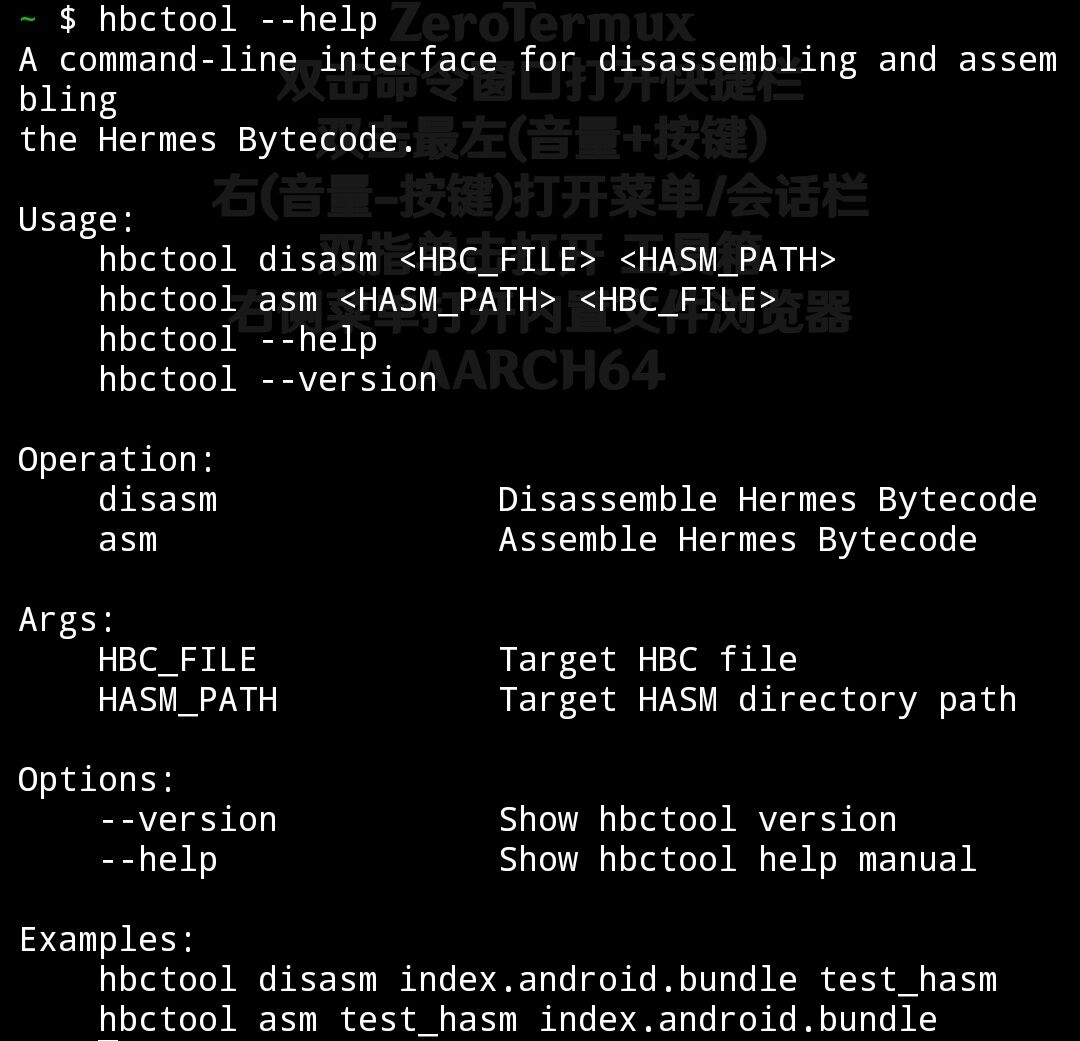
⑤验证安装
⑥反编译指令
- cd /storage/emulated/0/我的文件/反编译
- hbctool disasm index.android.bundle disasm_out
解释一下反编译指令
整条指令为
cd /storage/emulated/0/我的文件/反编译
hbctool disasm index.android.bundle disasm_out
拆分为三个部分
#进入指定目录
你的index.android.bundle文件必须在此,目录可以为你自己设定的
cd /storage/emulated/0/我的文件/反编译
#反编译指令,反编译你的index.android.bundle文件
hbctool disasm index.android.bundle
#在原目录输出反编译后的文件在
disasm_out
⑦回编译指令
回编译为index.android.bundle.mod文件
- hbctool asm disasm_out index.android.bundle.mod
常见报错及解决办法
--------------------------------------
解释一下
执行指令git clone https://github.com/Kirlif/HBC-Tool.git
时出现如下报错的原因
- fatal: destination path 'HBC-Tool' already exists and is not an empty directory.
原因:目录中已经有一个HBC-Tool的文件夹,不是空的,所以Git无法正确克隆。
解决方案:删除并重新克隆
- rm -rf HBC-Tool
- git clone https://github.com/Kirlif/HBC-Tool.git
--------------------------------------
提示无储存权限可以输入termux-setup-storage获取储存权限。
也可在手机设置手动给予权限
--------------------------------------
最后附上正确安装时会出现的图片
 |
-
查看全部评分
总评分:金币 +1
|
 苏公网安备 32010602011309号
|
苏ICP备19064627号
苏公网安备 32010602011309号
|
苏ICP备19064627号





 变色卡
变色卡